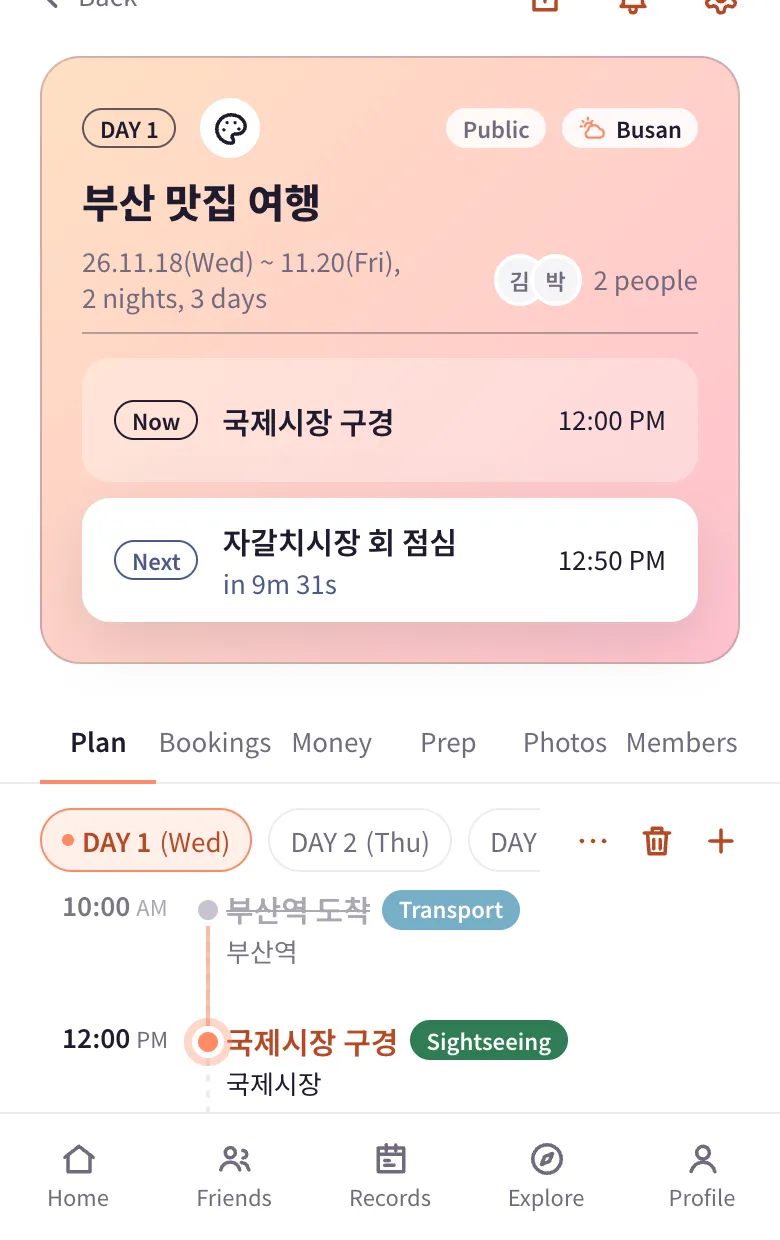
Now and next
A timeline shows what's happening now and how long until the next item, so on the trip you always know what's next.
 planJ
Plans, maps, bookings, expenses and settling up, and packing lists, all in one place with the people you travel with. Free.
A timeline shows what's happening now and how long until the next item, so on the trip you always know what's next.
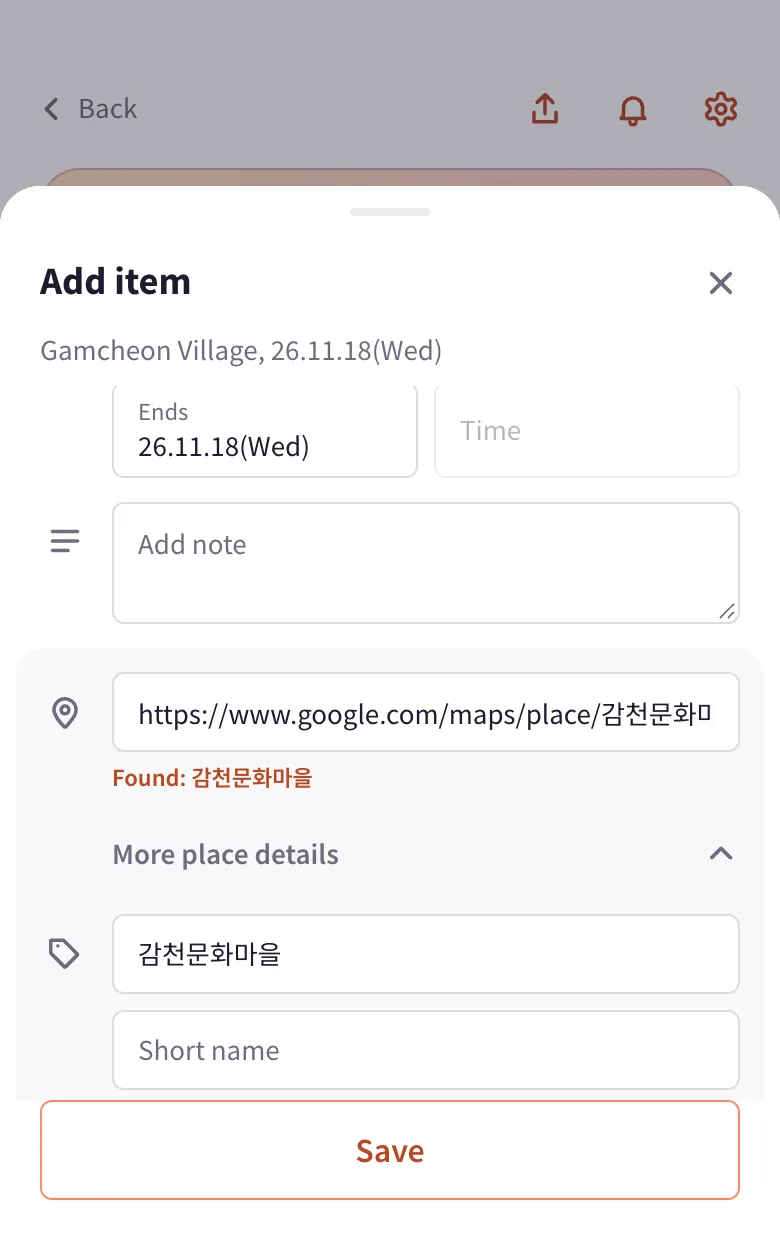
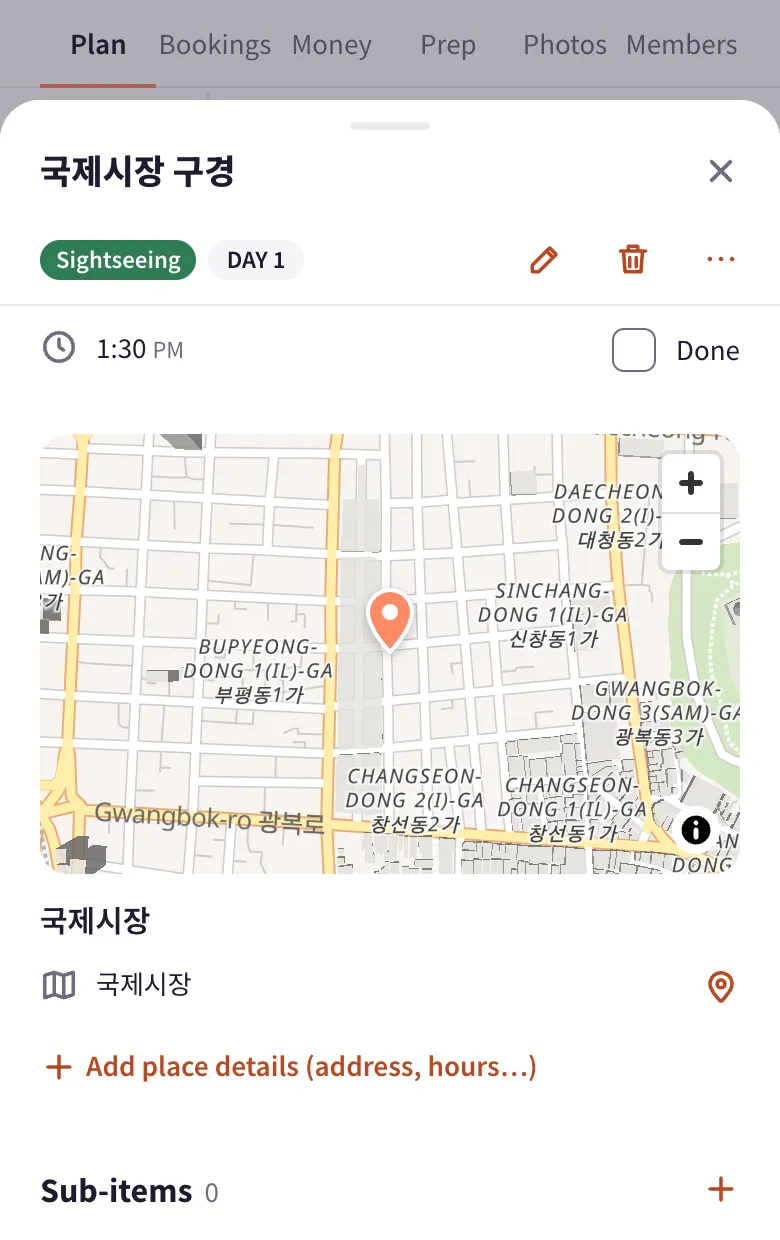
Copy a share link from Google Maps, Naver Map, Kakao Map or Apple Maps and paste it. planJ finds the place name and location for you, short links included, and the place shows up on the map and today's route.
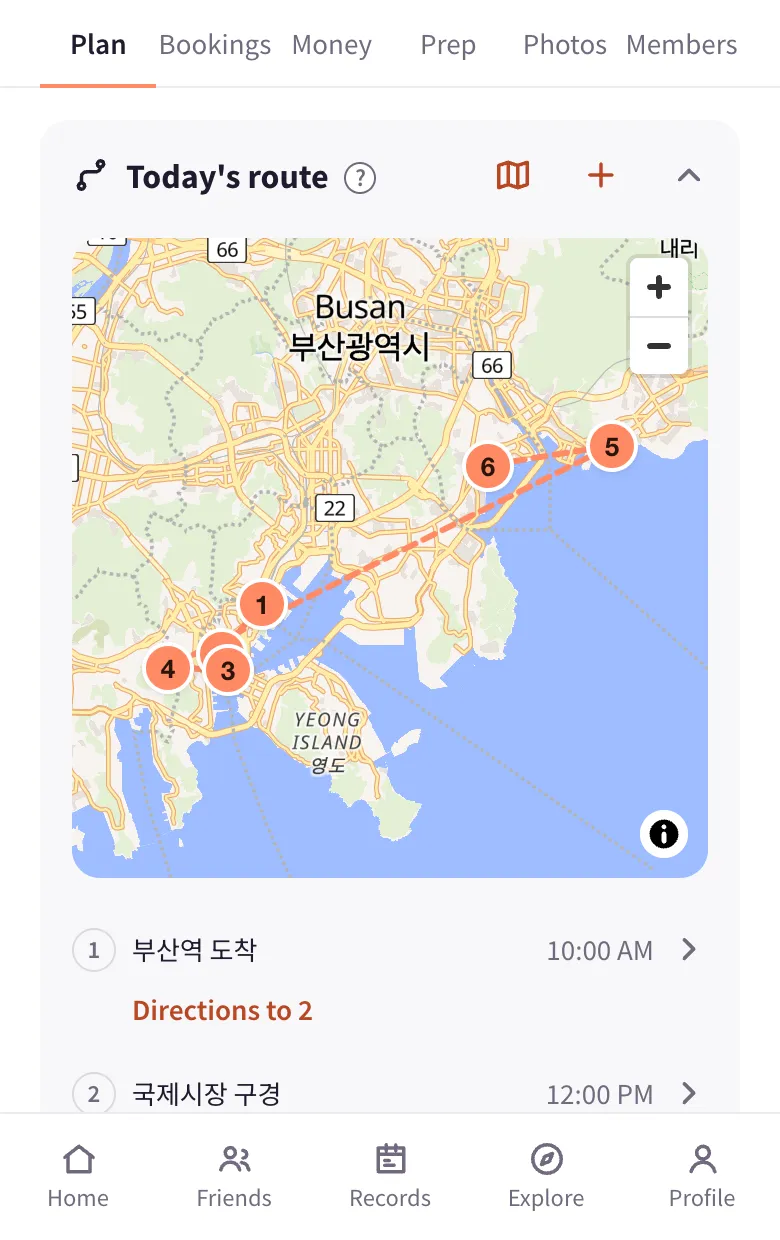
Each day's stops are numbered and joined on a map. Open directions for any leg in your map app.
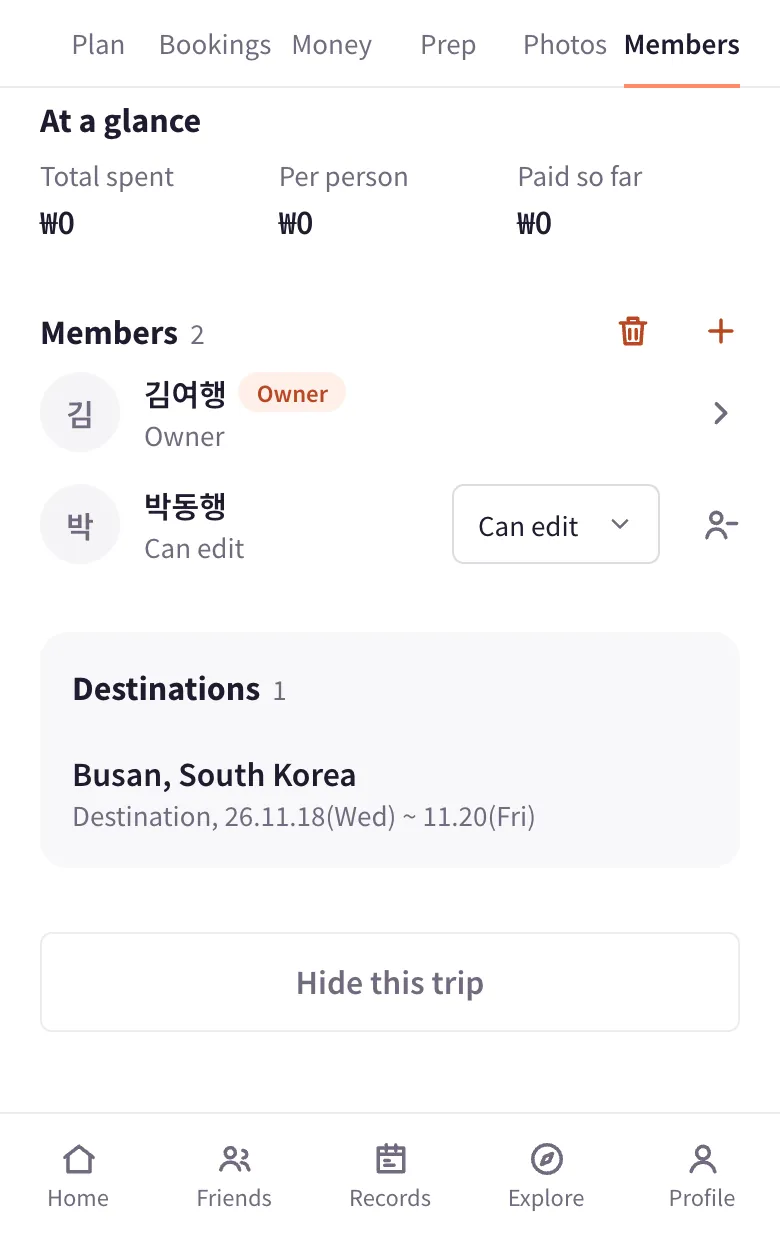
Invite companions by @nickname or invite link and choose edit or view-only. Changes show up for everyone right away.
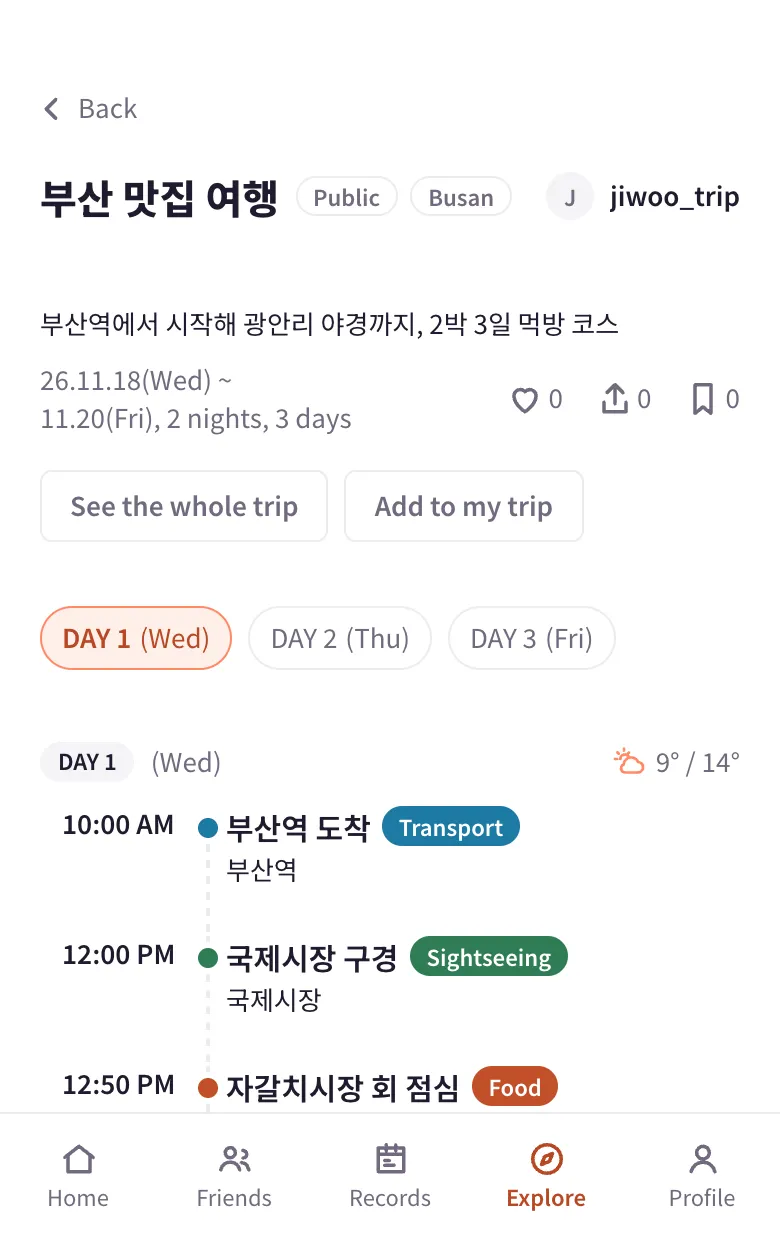
Publish a finished trip to friends or everyone, and bring places from trips you like into your own as recommendations. Payments, settling up, contacts, accounts and memos stay visible only to companions.
Keep flights, stays, rental cars and confirmation files together. Log spending in any currency and planJ works out who owes whom.
Share checklists for documents, packing and to-dos, plus memos. Everyone checks off their own items.
Currency, time zone, time difference and local-language addresses are set for each destination, along with local taxes such as Japan's accommodation tax.
Sign up with email or Google and set your name, nickname, country and currency.
Tap + on Home and enter a name, dates and destination. Country, currency and time zone are set for you.
Invite by @nickname when you create the trip or from the Members tab. They join as soon as they accept in their alerts.
In the Plan tab, tap +, pick a title, category and time, and paste a map link. Bookings, Money and Prep work the same way.
Follow the now and next items and today's route, and log spending as you go.
Settle up in the Money tab and publish the trip if you like. Past trips are kept in Records.
Add a place by pasting a share link from a map app. Links from Google Maps, Naver Map, Kakao Map, Apple Maps and OpenStreetMap all work, short share links included.
Find the place in your map app and open its page.
Tap Share and choose Copy link.
Paste it into the "Paste a map share link" field when you add a plan item. Bookings and recommended places work the same way.
When the found place appears, save. The name and location are filled in and show up on the map and today's route.
If the place can't be found, only the link is saved. Enter the place name or address yourself.
planJ runs an MCP server. Connect it to an AI app such as Claude or ChatGPT to view and edit your trips in conversation. Only apps you allow with your planJ sign-in can use it.
In Settings, Connectors, open Browse connectors and find planJ.
Select Connect, sign in on the planJ consent screen and select Allow.
Works on every plan, including Free. On Team and Enterprise plans an admin enables it first.
In Settings, Apps & Connectors, Advanced settings, turn on Developer mode.
Create a connector with the URL https://planj.app/mcp and OAuth authentication.
Allow access on the planJ consent screen, then pick planJ from the tools in a chat.
Add https://planj.app/mcp as a remote MCP server.
Sign in and select Allow on the planJ consent screen the first time.
Signing up takes a minute. Or start by exploring trips others have shared.